How it works
From telling us to it working on its own
No training, no migration and no project: you tell us once and we build it.
- Between two days and a week
- Rehearsed before anything is sent
- No lock-in
The process, drawn
The seven steps
These are the seven, and in four of them you do nothing at all.
1
You tell us about it
Eight short questions about your process, in your own words, and your name and email at the end. No account, no card and no sales call. At the end you see what it costs you a month to do it by hand.
2
We send you the spec
A one-page document: exactly what it would do, what it connects to, what it does NOT do, what it would cost and how we would measure whether it is worth it. You approve it or you correct it.
3
You connect your accounts
Only the ones the process needs, and we explain what each one is for. They are yours: you can take our access away whenever you like.
4
We build it
Between two days and a week. You do not have to do anything while that happens.
5
We rehearse it in front of you
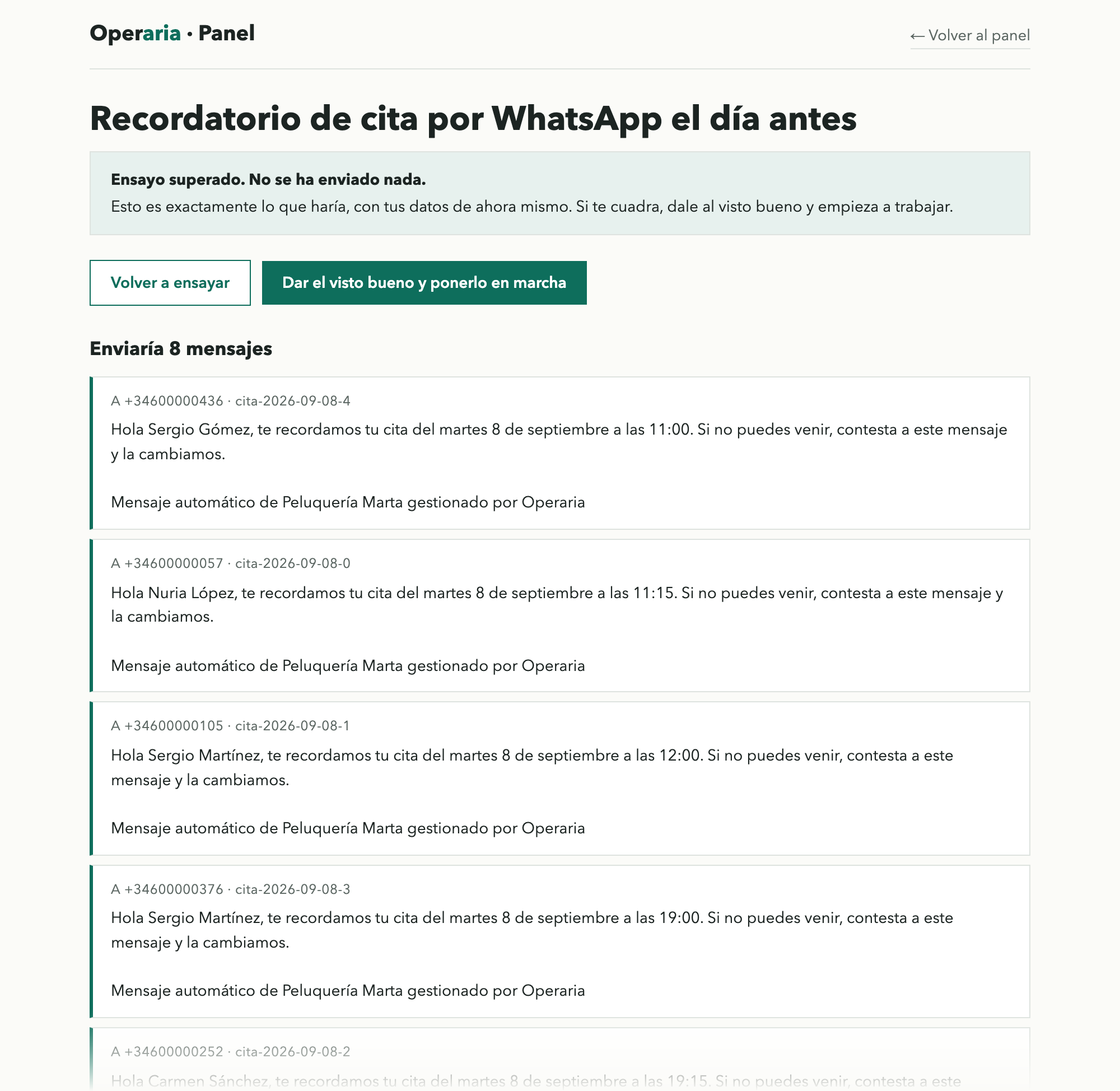
With your real data, but without sending anything out into the world. You will see a list along the lines of “it would have sent 14 reminders to these people, and not these 2 because they have no phone number”.
6
You put it live
And that is when the fee starts, not before. For the first seven days it runs cautiously, with a daily cap and a summary every afternoon.
7
And we keep it running
If something breaks, we fix it and tell you in three lines. Every Monday you get a note on how it went. When you want something changed, you tell us and a new version comes out, which is rehearsed too.
Who approves what
There are four moments where you decide, and they are never skipped.
| Moment | Who decides | Why |
|---|---|---|
| What the process covers | You | It is what you are buying |
| Putting it live after the rehearsal | You | It is the moment it starts touching the real world, and starts being charged for |
| A change that widens what it does | You | Nobody extends your service without telling you |
| A fix that does not change the scope | Us | That is what you are paying for: it gets fixed without bothering you |
Before it sends anything real, we rehearse it. That is the difference between an automation and a nasty surprise. No process goes live without going through it.
What we need from you
Half an hour, once
Telling us about it and connecting your accounts. The rest of the build takes none of your time.
That you correct the spec
If we have got something wrong, say so. It is far cheaper to fix it on the spec than once it is running.
A few minutes on rehearsal day
Looking at the list of what it would have done and confirming it is what you expected.